


Table of Contents
LabStar alternatives after the move to 3Shape LMS
3Shape bought LabStar in January 2023, and LabStar subscribers are moving to 3Shape LMS. If you’re looking for a LabStar alternative, we compared four systems on what LabStar did, from incoming cases and dentists to invoices: 3Shape LMS, Magic Touch, Seazona and Crownbeam, which we make. All four appear as their own sites describe them in November 2026.
Everything we say about other companies comes from their own websites, as of November 2026, with a link to each page. We leave prices out because they change.
What happened to LabStar?
On January 24, 2023, 3Shape announced that it had acquired LabStar and described it as cloud software that runs a dental lab from case entry to invoice. 3Shape’s help center now has a section called LabStar subscribers moving to 3Shape LMS. You need a 3Shape sign-in to read it.
What LabStar did, and who covers it today
We split case entry to invoice into four jobs and added two questions of our own, the browser and extra users. The split is ours, not 3Shape’s.
| 3Shape LMS | Magic Touch | Seazona | Crownbeam | |
|---|---|---|---|---|
| Incoming digital cases | Cases created automatically from TRIOS and Dental System; a help article covers cases from Dentsply Sirona’s DS Core | 3Shape and Medit among the integrations shown | Scanner integrations from the Professional plan; Medit and DS Core among those listed | New scans from 3Shape Communicate, Medit Link and DS Core arrive as cases by themselves; practices with other scanners upload in the customer portal |
| Dentists: orders, messages, status | Clinics follow case status and review designs in Unite Cloud, according to 3Shape | Customer portal offered as an additional service | Client portal for cases, messages, files and invoices; doctor portal from the Professional plan | Customer portal, free for invited practices; a chat on every case; the practice sees the same status as the lab |
| Runs in the browser | Not mentioned on its product page | Signature on desktop and in the cloud; Lite is web-based | Described as cloud-based | Yes, nothing to install |
| Extra lab users | Not mentioned on its product page | Not mentioned on its site | Lab users set per plan; doctors unlimited | Cost nothing |
| Production | Multi-step production lines with barcodes (LMS Premium); a production dashboard in the help center | Technician task scheduling, custom workflow stages | Case tracking and scheduling, barcodes | Lab steps assigned to technicians; open steps listed with the ship date |
| Invoicing | Price books per client, one-click invoicing, card payments through Stripe | Invoicing and payments | Invoices, statements, payments | Keeps your billing program; case data goes to Xero or through the open API |
Sources: 3Shape LMS, 3Shape LMS help, Magic Touch, Magic Touch Lite, Seazona, Crownbeam integrations. All checked November 25, 2026. “Not mentioned” means we didn’t find it on those pages.
Want more names than these four? Our comparison of dental lab management software goes wider.
Crownbeam: scanner cases and dentists in one place
If LabStar was mostly where your cases came in and your dentists got updates, that’s the part Crownbeam covers.
You connect a practice’s scanner account to that practice once. From then on, each new scan from 3Shape Communicate, Medit Link or DS Core shows up right away as a case, with the scan files, the Rx from the scanner portal, the patient’s appointment date and any photos, and the lab accepts it with one click from the Rx. Nobody has to check the portals for new scans. Practices with other scanners upload their files in the customer portal.
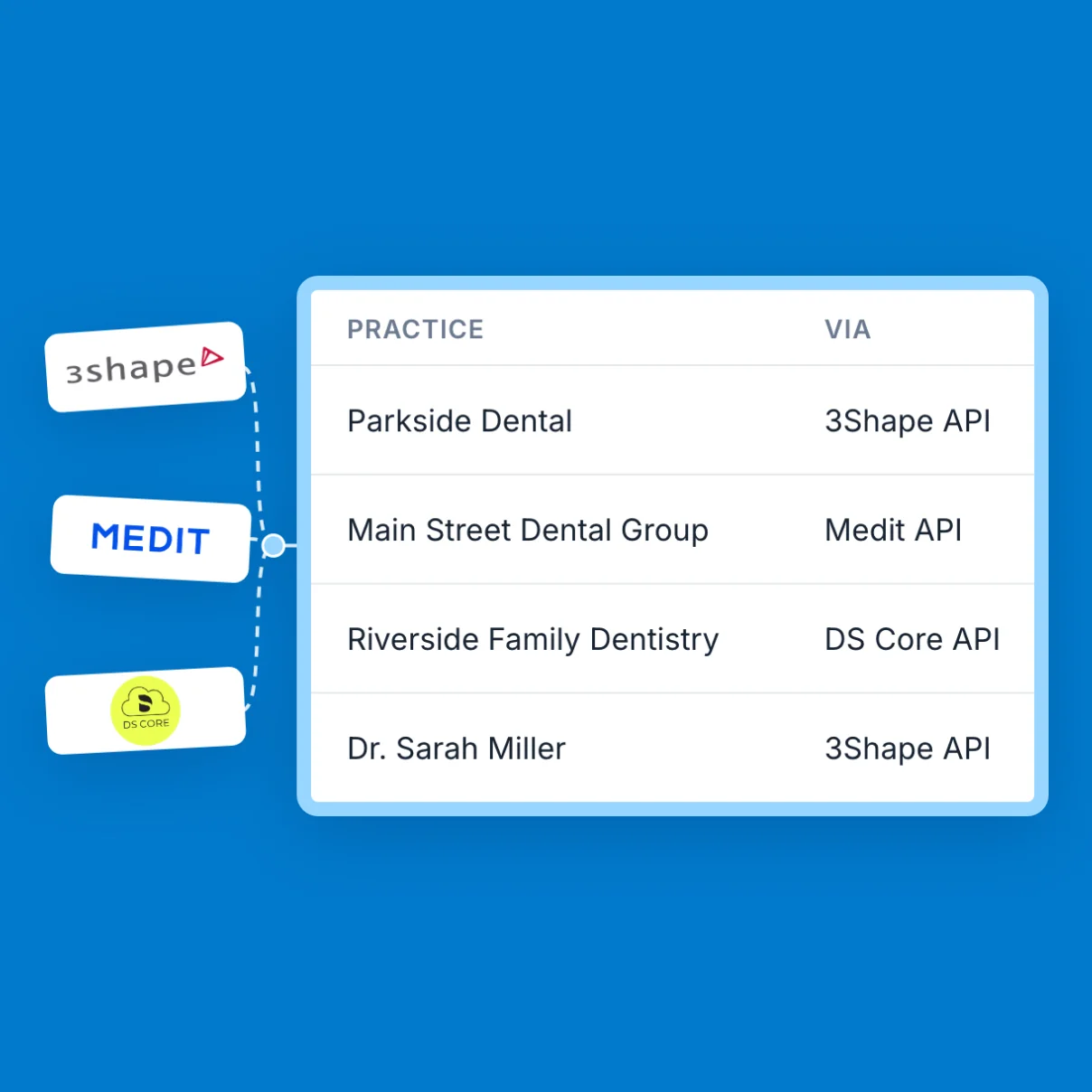
Each case has its own chat, so questions and photos stay with it. Once a practice is invited, it uses the portal for free and sees the same status as the lab, from received to completed. It doesn’t need to call to ask whether the scan arrived.
Crownbeam runs in the browser, with nothing to install. Extra users cost nothing, so everyone in the lab can have their own login.
If your invoices already come out of an accounting or billing program, they don’t have to move. You keep that program as it is; only the case side changes. Case data goes to Xero, where you create the invoice as usual (integrations). For other programs, a developer can build the connection through Crownbeam’s open API, an interface that lets other software connect to your case data.
What 3Shape LMS covers
According to 3Shape’s product page, 3Shape LMS creates cases automatically from TRIOS and Dental System, enters analog cases once and syncs them, and bills with price books per client and one-click invoicing. Its help center also covers reports, production, statements and DS Core cases.
Magic Touch and Seazona: cases and invoices in one system
Magic Touch has several editions (magictouchsoftware.com). Signature is aimed at larger or growing labs and runs on desktop and in the cloud. Lite, for smaller labs, covers case entry, customer records, call logging and invoicing.
Seazona runs in the cloud (seazona.com) with case tracking, online lab slips, barcodes, invoices and a client portal. Its doctor portal and scanner integrations start with the Professional plan.
Bringing over data from LabStar or 3Shape LMS isn’t mentioned on the Magic Touch or Seazona homepage as of November 2026. Ask about that on the first call.
Before you pick a LabStar alternative
In a demo one Wednesday this March, we talked with a mid-sized US lab that had used LabStar for years and left after the acquisition. It was on its third system and already looking again. A program built by a sister lab for its own work hadn’t fit, and after about a month with the next one, two house rules still weren’t handled. The lab’s case numbers come off the practices’ Rx pads, so each one has to be unique. And it bills by order date, not due date. Those two rules were its first questions to us, along with which scanners its practices use.
That lab came with its rules written down, and a feature list wouldn’t have shown whether a system could handle them. Bring yours to the first demo.
Which scanners do your dentists use? Go through your practices one by one and note the scanner each uses, then check that list against each vendor’s integration page. If your biggest client’s scanner isn’t on it, ask how those cases would reach you.
Invoices are the other thing to settle early. Many labs we talk to already have lab or billing software that makes them, so ask whether a new system replaces that program or hands case data over to it.
And decide who runs the change. A slow month helps, and so does one person who owns it, because setting up practices and running the first cases takes time out of the same weeks as production.
Taking your dentists along
A lab owner who had opened only weeks before told us about this in a demo on a Thursday in November 2025. He had already set up his first practices in another program and wanted to switch. He’d visited those practices two weeks earlier and won them over. His biggest worry wasn’t the switch. It was going back to the same offices with something new so soon.
That’s why it pays to keep it small for the practices. One or two that already like working digitally come first; the rest can follow once those run smoothly. Tell each practice before the invitation lands in their inbox, since an unannounced email from software they’ve never heard of can look like spam. Agree beforehand on the email address it will use for the new login, and don’t reuse one address for two accounts. And set up only the five restorations that practice orders most at first. The rest of your list can wait.
Practices that scan with a connected intraoral scanner keep scanning and sending as before.
What to check in every demo
Bring a real case. Last week’s Rx that just said “crown” will do, or the scan a practice called about twice. Then:
- Watch a new scan arrive from each portal your dentists send from.
- Ask what changes for a practice that already scans.
- Ask where a dentist’s question about that case ends up: on the case, or in somebody’s inbox?
- Ask what one more lab user costs.
If you make one of these systems and something here has changed, tell us and we’ll update this page.
Frequently asked questions
Is 3Shape LMS the same as LabStar?
3Shape LMS is 3Shape’s own lab management software; according to its help center, LabStar subscribers are moving to it. 3Shape acquired LabStar in January 2023 (press release).
Can I move my LabStar case history to new software?
A LabStar import isn’t mentioned on the Magic Touch or Seazona websites as of November 2026, and 3Shape’s section for LabStar subscribers needs a sign-in. Ask each vendor what it can take over. And before you cancel anything, ask your current provider how and when you can export your data.
Do I need lab software that does invoicing?
Only if you want invoices made in the same system as your cases. If your accounting program already makes them, it can stay, and the lab software handles cases and dentists.
If you’d like to see it, our demo video walks through how Crownbeam works.
Follow us on social media for the latest updates, behind-the-scenes content, and exclusive offers!


Stay updated with latest innovations—subscribe for exclusive updates and insights!
Interesting articles for you
LabStar alternatives after the move to 3Shape LMS
Looking for a LabStar alternative? 3Shape bought LabStar in 2023. What four lab systems cover today, and what to ask before you switch.
Medit Link for labs: connecting with practices and receiving cases
How a dental lab connects with practices in Medit Link, accepts cases in the In Box, exports STL, PLY or OBJ, and avoids mistakes after arrival.
3Shape Communicate for labs: how cases and files arrive
How to download and receive a 3Shape Communicate case in your lab: the Rx, the DCM, STL and PLY files, what to check, and why cases go missing.
